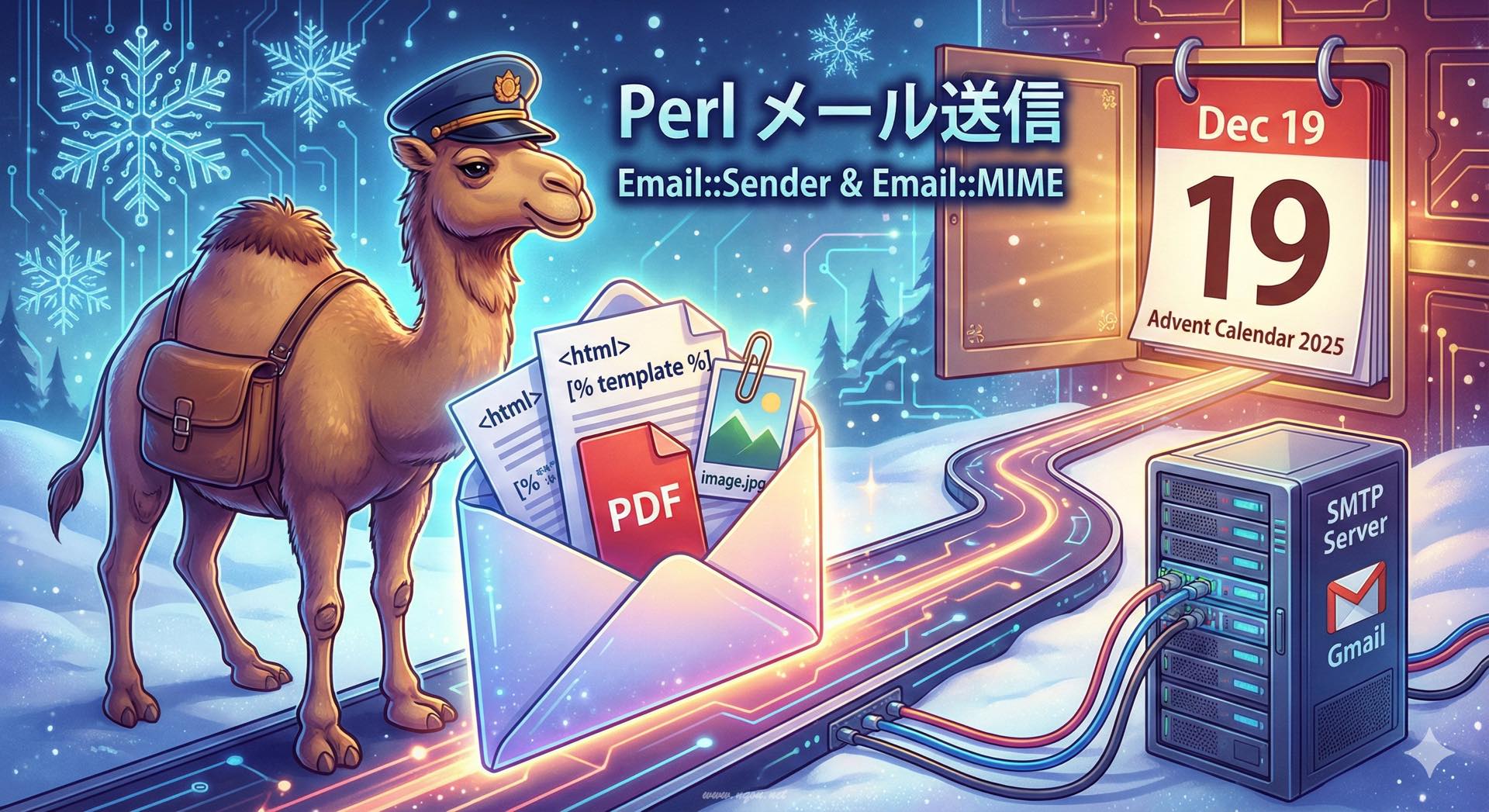
Featured image of post Perlでのメール送信 — Email::* モジュール

Perlでのメール送信 — Email::* モジュール

PerlでEmail::SenderやEmail::MIMEを使ったメール送信、SMTP設定、添付、HTMLメール、テンプレート連携の基本例。

Perlでのメール送信 - Email::* モジュール

Perlには豊富なメール関連モジュールがあり、シンプルなテキストメールから複雑なMIMEメッセージまで、柔軟に送信できます。

Email::Sender の基本

Email::Senderは、現代的なメール送信のためのモジュールです。様々なトランスポート(SMTP、Sendmail等)に対応しています。

シンプルなテキストメール送信

 1
 2
 3
 4
 5
 6
 7
 8
 9
10
11
12
13
14
use Email::Simple;
use Email::Sender::Simple qw(sendmail);

my $email = Email::Simple->create(
    header => [
        To      => 'recipient@example.com',
        From    => 'sender@example.com',
        Subject => 'Test Email',
    ],
    body => "This is a test email.\n",
);

sendmail($email);
print "メールを送信しました\n";

SMTPサーバーを指定して送信

 1
 2
 3
 4
 5
 6
 7
 8
 9
10
11
12
13
14
15
16
17
18
19
20
21
22
use Email::Simple;
use Email::Sender::Simple qw(sendmail);
use Email::Sender::Transport::SMTP;

my $transport = Email::Sender::Transport::SMTP->new({
    host => 'smtp.example.com',
    port => 587,
    sasl_username => 'username',
    sasl_password => 'password',
    ssl => 'starttls',  # または 'ssl' for SMTPS
});

my $email = Email::Simple->create(
    header => [
        To      => 'recipient@example.com',
        From    => 'sender@example.com',
        Subject => 'SMTP Test',
    ],
    body => "Sent via SMTP\n",
);

sendmail($email, { transport => $transport });

Gmail経由での送信

 1
 2
 3
 4
 5
 6
 7
 8
 9
10
11
12
13
14
15
16
17
18
19
20
21
22
23
24
25
26
27
use Email::Sender::Transport::SMTP::TLS;
use Email::Simple;
use Email::Sender::Simple qw(sendmail);

my $transport = Email::Sender::Transport::SMTP::TLS->new(
    host     => 'smtp.gmail.com',
    port     => 587,
    username => 'your-email@gmail.com',
    password => 'your-app-password',  # アプリパスワードを使用
);

my $email = Email::Simple->create(
    header => [
        To      => 'recipient@example.com',
        From    => 'your-email@gmail.com',
        Subject => 'Gmail Test',
    ],
    body => "Sent via Gmail\n",
);

eval {
    sendmail($email, { transport => $transport });
    print "メール送信成功\n";
};
if ($@) {
    warn "メール送信失敗: $@\n";
}

MIMEメッセージの作成

Email::MIMEを使うと、HTML、添付ファイル、複数パートのメールを作成できます。

HTMLメールの送信

 1
 2
 3
 4
 5
 6
 7
 8
 9
10
11
12
13
14
15
16
17
18
19
20
21
22
23
24
25
26
27
28
29
use Email::MIME;
use Email::Sender::Simple qw(sendmail);

my $email = Email::MIME->create(
    header_str => [
        To      => 'recipient@example.com',
        From    => 'sender@example.com',
        Subject => 'HTML Email',
    ],
    attributes => {
        content_type => 'text/html',
        charset      => 'UTF-8',
        encoding     => 'quoted-printable',
    },
    body_str => <<'HTML',
<html>
<body>
    <h1>こんにちは</h1>
    <p>これは<strong>HTML</strong>メールです</p>
    <ul>
        <li>リスト項目1</li>
        <li>リスト項目2</li>
    </ul>
</body>
</html>
HTML
);

sendmail($email);

マルチパート(テキスト+HTML)

多くのメールクライアントに対応するため、テキストとHTMLの両方を含めます:

 1
 2
 3
 4
 5
 6
 7
 8
 9
10
11
12
13
14
15
16
17
18
19
20
21
22
23
24
25
26
27
28
29
30
31
32
33
34
35
36
37
38
use Email::MIME;
use Email::Sender::Simple qw(sendmail);

my $text_part = Email::MIME->create(
    attributes => {
        content_type => 'text/plain',
        charset      => 'UTF-8',
        encoding     => 'quoted-printable',
    },
    body_str => "これはテキスト版です。\n",
);

my $html_part = Email::MIME->create(
    attributes => {
        content_type => 'text/html',
        charset      => 'UTF-8',
        encoding     => 'quoted-printable',
    },
    body_str => <<'HTML',
<html>
<body>
    <h1>これはHTML版です</h1>
    <p>HTML対応のメールクライアントではこちらが表示されます</p>
</body>
</html>
HTML
);

my $email = Email::MIME->create(
    header_str => [
        To      => 'recipient@example.com',
        From    => 'sender@example.com',
        Subject => 'Multipart Email',
    ],
    parts => [ $text_part, $html_part ],
);

sendmail($email);

添付ファイル

ファイルを添付する

 1
 2
 3
 4
 5
 6
 7
 8
 9
10
11
12
13
14
15
16
17
18
19
20
21
22
23
24
25
26
27
28
29
30
31
32
33
34
35
36
use Email::MIME;
use Email::Sender::Simple qw(sendmail);
use Path::Tiny;

# テキスト本文
my $body_part = Email::MIME->create(
    attributes => {
        content_type => 'text/plain',
        charset      => 'UTF-8',
    },
    body_str => "添付ファイル付きのメールです。\n",
);

# 添付ファイル
my $attachment_content = path('report.pdf')->slurp_raw;
my $attachment = Email::MIME->create(
    attributes => {
        content_type => 'application/pdf',
        encoding     => 'base64',
        filename     => 'report.pdf',
        name         => 'report.pdf',
    },
    body => $attachment_content,
);

# メール作成
my $email = Email::MIME->create(
    header_str => [
        To      => 'recipient@example.com',
        From    => 'sender@example.com',
        Subject => 'PDFファイル添付',
    ],
    parts => [ $body_part, $attachment ],
);

sendmail($email);

複数ファイルの添付

 1
 2
 3
 4
 5
 6
 7
 8
 9
10
11
12
13
14
15
16
17
18
19
20
21
22
23
24
25
26
27
28
29
30
31
32
33
34
35
36
37
38
39
40
41
42
43
44
45
46
47
48
49
use Email::MIME;
use Email::Sender::Simple qw(sendmail);
use Path::Tiny;

my $body_part = Email::MIME->create(
    attributes => {
        content_type => 'text/plain',
        charset      => 'UTF-8',
    },
    body_str => "複数のファイルを添付しました。\n",
);

my @files = qw(document.pdf image.jpg data.csv);
my @attachments = map {
    my $file = path($_);
    Email::MIME->create(
        attributes => {
            content_type => mime_type($file),
            encoding     => 'base64',
            filename     => $file->basename,
            name         => $file->basename,
        },
        body => $file->slurp_raw,
    );
} @files;

my $email = Email::MIME->create(
    header_str => [
        To      => 'recipient@example.com',
        From    => 'sender@example.com',
        Subject => '複数ファイル添付',
    ],
    parts => [ $body_part, @attachments ],
);

sendmail($email);

sub mime_type {
    my $file = shift;
    my %types = (
        pdf => 'application/pdf',
        jpg => 'image/jpeg',
        png => 'image/png',
        csv => 'text/csv',
        txt => 'text/plain',
    );
    my ($ext) = $file =~ /\.([^.]+)$/;
    return $types{$ext} || 'application/octet-stream';
}

テンプレートとの連携

Template Toolkit との統合

 1
 2
 3
 4
 5
 6
 7
 8
 9
10
11
12
13
14
15
16
17
18
19
20
21
22
23
24
25
26
27
28
29
30
31
32
33
34
35
36
37
38
39
40
41
42
43
44
45
46
47
48
49
50
51
52
53
54
55
56
57
58
59
60
61
62
63
64
65
66
67
68
69
70
71
use Email::MIME;
use Email::Sender::Simple qw(sendmail);
use Template;

my $tt = Template->new;

# HTMLテンプレート
my $html_template = <<'TMPL';
<html>
<body>
    <h1>こんにちは、[% name %]さん</h1>
    <p>ご注文ありがとうございます。</p>
    <h2>注文内容</h2>
    <ul>
    [% FOREACH item IN items %]
        <li>[% item.name %]: [% item.price %]円</li>
    [% END %]
    </ul>
    <p>合計: <strong>[% total %]円</strong></p>
</body>
</html>
TMPL

# テキストテンプレート
my $text_template = <<'TMPL';
こんにちは、[% name %]さん

ご注文ありがとうございます。

【注文内容】
[% FOREACH item IN items %]
- [% item.name %]: [% item.price %]円
[% END %]

合計: [% total %]円
TMPL

my $vars = {
    name  => '山田太郎',
    items => [
        { name => '商品A', price => 1000 },
        { name => '商品B', price => 2000 },
    ],
    total => 3000,
};

my ($html_body, $text_body);
$tt->process(\$html_template, $vars, \$html_body);
$tt->process(\$text_template, $vars, \$text_body);

# マルチパートメール作成
my $text_part = Email::MIME->create(
    attributes => { content_type => 'text/plain', charset => 'UTF-8' },
    body_str => $text_body,
);

my $html_part = Email::MIME->create(
    attributes => { content_type => 'text/html', charset => 'UTF-8' },
    body_str => $html_body,
);

my $email = Email::MIME->create(
    header_str => [
        To      => 'customer@example.com',
        From    => 'shop@example.com',
        Subject => 'ご注文確認',
    ],
    parts => [ $text_part, $html_part ],
);

sendmail($email);

実用的なメール送信クラス

 1
 2
 3
 4
 5
 6
 7
 8
 9
10
11
12
13
14
15
16
17
18
19
20
21
22
23
24
25
26
27
28
29
30
31
32
33
34
35
36
37
38
39
40
41
42
43
44
45
46
47
48
49
50
51
52
53
54
55
56
57
58
59
60
61
62
63
64
65
66
67
68
69
70
71
72
73
74
75
76
77
78
79
80
81
82
83
84
85
86
87
88
89
90
91
92
93
94
package MyApp::Mailer;
use Moo;
use Email::MIME;
use Email::Sender::Simple qw(sendmail);
use Email::Sender::Transport::SMTP;
use Template;

has smtp_host     => (is => 'ro', required => 1);
has smtp_port     => (is => 'ro', default => 587);
has smtp_username => (is => 'ro', required => 1);
has smtp_password => (is => 'ro', required => 1);
has from_address  => (is => 'ro', required => 1);

has transport => (is => 'lazy');
has template  => (is => 'lazy');

sub _build_transport {
    my $self = shift;
    Email::Sender::Transport::SMTP->new({
        host => $self->smtp_host,
        port => $self->smtp_port,
        sasl_username => $self->smtp_username,
        sasl_password => $self->smtp_password,
        ssl => 'starttls',
    });
}

sub _build_template {
    Template->new;
}

sub send_template_email {
    my ($self, %args) = @_;
    
    my $to       = $args{to} or die "to is required";
    my $subject  = $args{subject} or die "subject is required";
    my $template = $args{template} or die "template is required";
    my $vars     = $args{vars} || {};
    
    # テンプレート処理
    my $body;
    $self->template->process(\$template, $vars, \$body)
        or die $self->template->error;
    
    # メール作成
    my $email = Email::MIME->create(
        header_str => [
            To      => $to,
            From    => $self->from_address,
            Subject => $subject,
        ],
        attributes => {
            content_type => 'text/plain',
            charset      => 'UTF-8',
        },
        body_str => $body,
    );
    
    # 送信
    eval {
        sendmail($email, { transport => $self->transport });
    };
    if ($@) {
        warn "Failed to send email: $@";
        return 0;
    }
    return 1;
}

# 使用例
package main;

my $mailer = MyApp::Mailer->new(
    smtp_host     => 'smtp.example.com',
    smtp_username => 'user',
    smtp_password => 'pass',
    from_address  => 'noreply@example.com',
);

my $template = <<'TMPL';
こんにちは、[% name %]さん

あなたの申し込みを受け付けました。
ID: [% user_id %]

よろしくお願いします。
TMPL

$mailer->send_template_email(
    to       => 'user@example.com',
    subject  => '登録完了',
    template => $template,
    vars     => { name => '山田太郎', user_id => 12345 },
);

エラーハンドリングとリトライ

 1
 2
 3
 4
 5
 6
 7
 8
 9
10
11
12
13
14
15
16
17
18
19
20
21
22
23
24
25
26
27
28
29
30
31
32
33
34
35
use Email::Sender::Simple qw(sendmail);
use Email::Simple;
use Try::Tiny;

sub send_with_retry {
    my ($email, $max_retries) = @_;
    $max_retries //= 3;
    
    for my $attempt (1..$max_retries) {
        try {
            sendmail($email);
            print "送信成功(試行 $attempt 回目)\n";
            return 1;
        } catch {
            warn "送信失敗(試行 $attempt 回目): $_\n";
            if ($attempt < $max_retries) {
                sleep 2 ** $attempt;  # 指数バックオフ
            }
        };
    }
    
    warn "最大リトライ回数を超えました\n";
    return 0;
}

my $email = Email::Simple->create(
    header => [
        To      => 'recipient@example.com',
        From    => 'sender@example.com',
        Subject => 'Test',
    ],
    body => "Test message\n",
);

send_with_retry($email, 3);

メールのバリデーション

 1
 2
 3
 4
 5
 6
 7
 8
 9
10
11
12
13
14
15
16
use Email::Valid;

my @addresses = (
    'valid@example.com',
    'invalid@@example.com',
    'no-domain@',
    'user@example.co.jp',
);

for my $addr (@addresses) {
    if (Email::Valid->address($addr)) {
        print "$addr は有効なメールアドレスです\n";
    } else {
        print "$addr は無効なメールアドレスです\n";
    }
}

まとめ

  • Email::Sender: 現代的なメール送信フレームワーク
  • Email::MIME: HTML、添付ファイル、マルチパートに対応
  • Template Toolkit: テンプレートでメール本文を生成
  • エラーハンドリング: try/catchとリトライ機構を実装
  • バリデーション: Email::Validでアドレスを検証

メール送信は失敗する可能性があるため、適切なエラーハンドリングとログ記録を実装しましょう。また、スパム対策として、SPF、DKIM、DMARCの設定も忘れずに。

comments powered by Disqus
Hugo で構築されています。
テーマ StackJimmy によって設計されています。